Amazon · 2022–2023
Amazon: View in Your Room
Rebuilt the first-time experience of View in Your Room, the AR feature in the Amazon Shopping app, from an 11-step onboarding to 6, and refreshed the mobile design system underneath it after the Sketch to Figma migration.
- Role
- Senior UX designer, individual contributor
- Team
- Product managers, engineering, researchers, and content designers
- Timeline
- 2022–2023
- Stack
- Amazon Shopping app on iOS and Android; AR camera flow; Figma design system
The problem
View in Your Room lets you put a product in your own space with the camera before you buy it. It was a core feature of the Amazon Shopping app, but first-time customers kept failing to see the point: the way in was an eleven-step onboarding, stitched together from legacy UI patterns, with guidance that changed voice and shape from one screen to the next. Many people left before the first placement, which is the moment the feature sells itself.
The underlying problem was shared across the app. The mobile components had just moved from Sketch to Figma, and the AR flow was built on the old set.
What I did
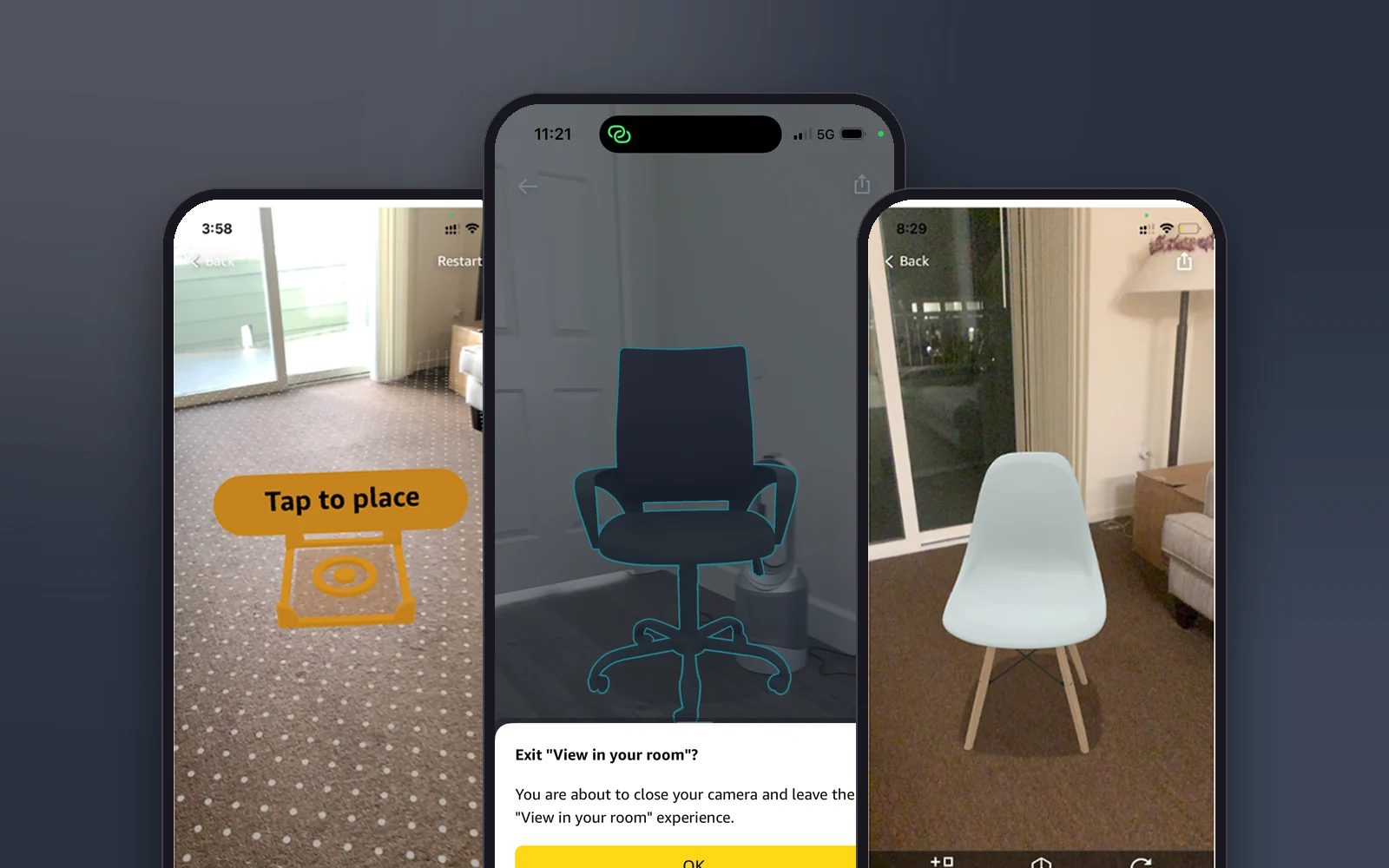
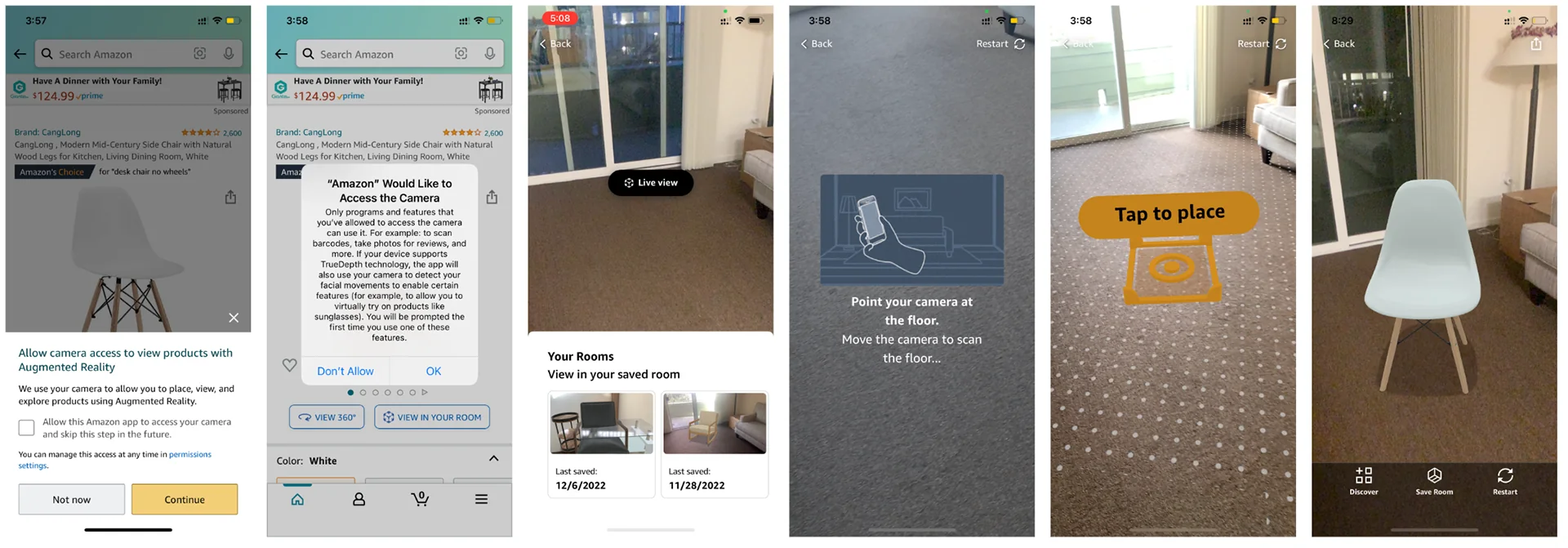
- Redesigned the onboarding and the AR interaction flow end to end. Eleven steps became six, with four key moments of attention: camera permission, a live view, pointing at the floor, and tap to place. Everything else moved out of the way of the first placement.
- Rewrote the guidance with the content designers so that each screen asks for one thing, in the same voice.
- Refreshed the mobile design system after the migration. Updated visual hierarchy, spacing rules, iconography, and gesture guidance, documented in Figma so other teams could pick the patterns up.
- Aligned the legacy UI with the current system, starting with the places customers hit first: the permission prompt and the exit dialog.

The exit dialog
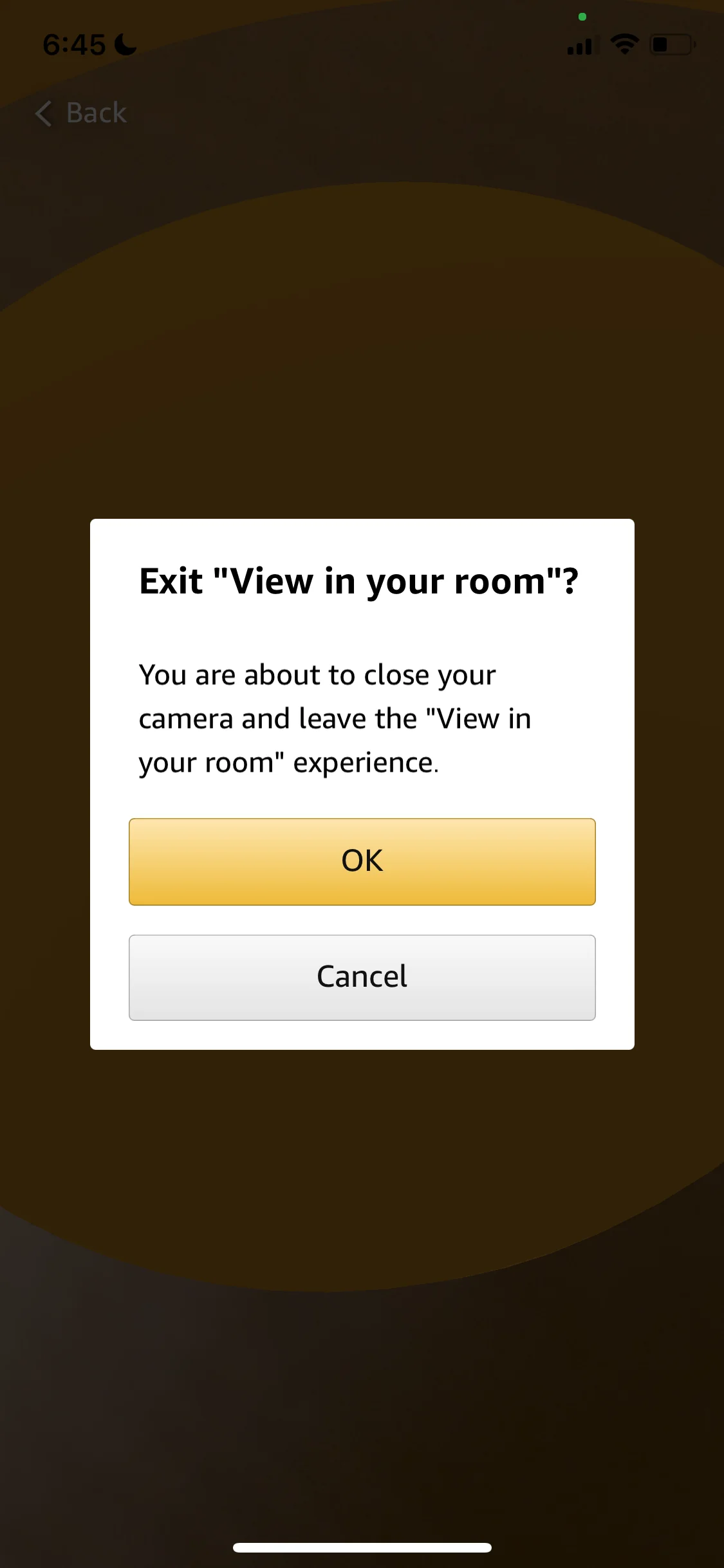
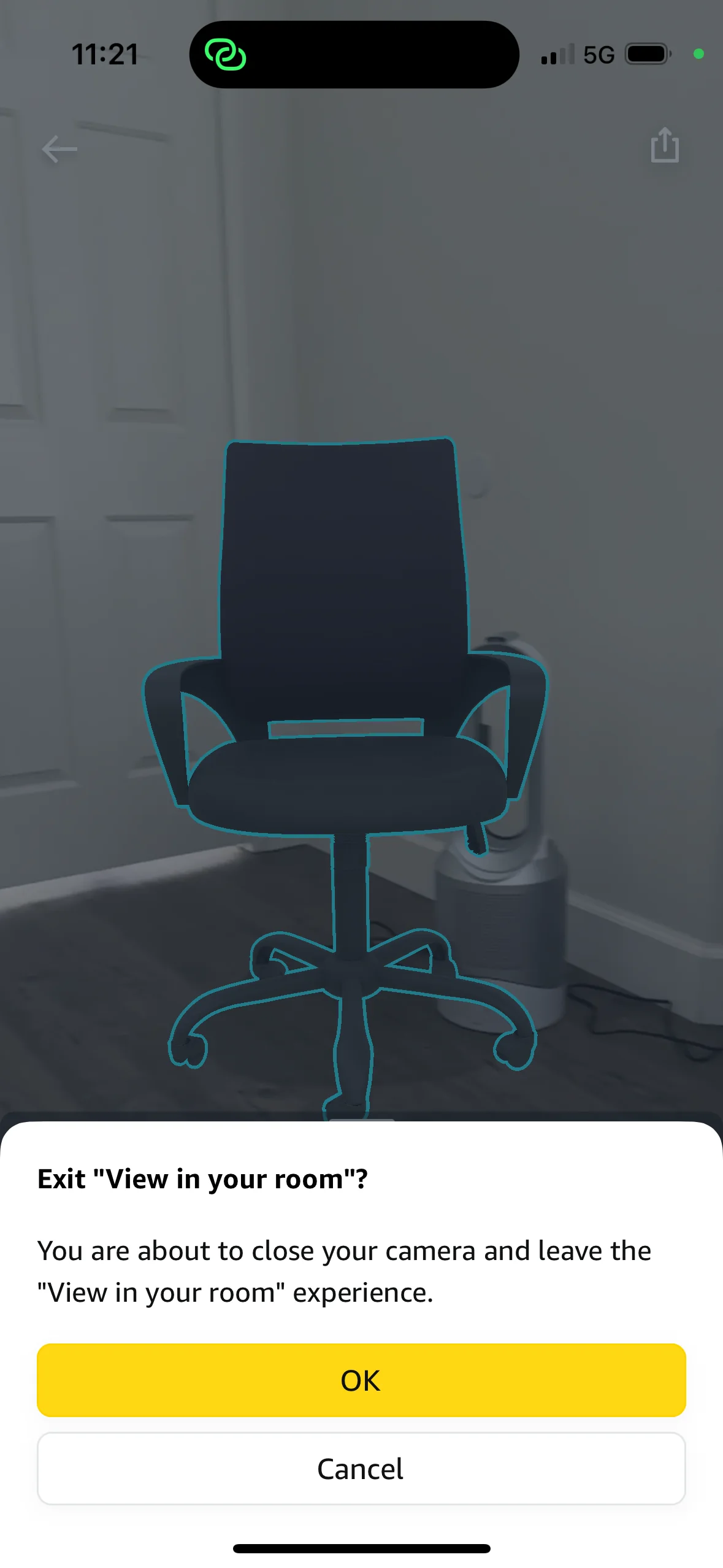
The old exit confirmation was a centered modal with two generic buttons and copy that did not say what you would lose. The redesign is a bottom sheet in the current system, with the product still visible behind it, one clear primary action, and copy that explains the consequence in a sentence.
Results
First-time completion of the AR flow went up and engagement in a core shopping path increased; the refreshed components and guidance patterns were picked up by other teams working on the app.
What I took from it
Onboarding is not a tutorial. The fastest way to explain an AR feature is to get the product into the room, so every step that does not lead there is a cost. The same lesson shaped how I design first runs at DNNR Tech, where a sample alarm replaced the tutorial entirely.